
Mobile App Design & Development
Simplifying recurring delivery operations through one connected mobile experience.
A mobile application that connects suppliers, delivery persons, and customers to manage recurring and one-time deliveries in a single, structured workflow.
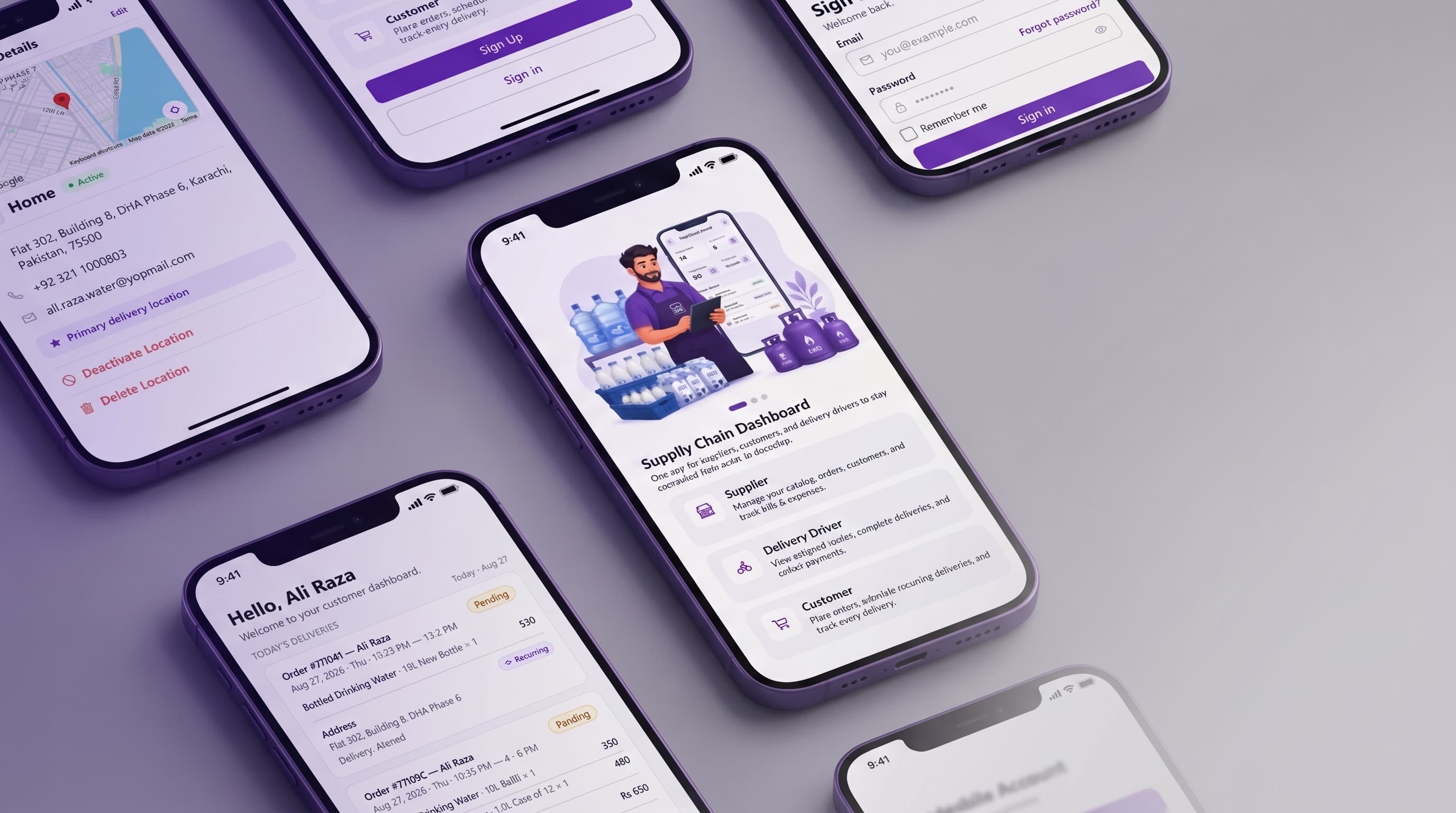
- Project Type
- Mobile & web application / delivery and cash management platform
- Platform
- Mobile & Web (Expo)
- Product Scope
- Suppliers, Delivery Persons, Customers
The Problem
Recurring delivery, managed manually
Recurring delivery businesses often rely on manual processes to manage daily orders, recurring subscriptions, customers, delivery schedules, delivery staff, order assignments, delivery status, and customer communication. When these processes are handled manually or across disconnected tools, operational problems follow.
- Missed or delayed deliveries
- Difficulty managing recurring orders
- Problems assigning deliveries to available delivery persons
- Limited visibility into daily delivery operations
- High levels of manual administrative work
- Difficulty handling changes in delivery staff availability
- Poor communication between suppliers, delivery persons, and customers
- Inconsistent tracking of delivery schedules across recurring and one-time orders
- No consolidated view of cash collected by delivery staff versus cash handed back to the business
- No structured way to track customer security deposits and outstanding balances
The Solution
One connected workflow
The Supplier Delivery App brings the entire recurring delivery workflow into one connected system. Instead of suppliers managing orders, customers, schedules, and delivery staff through disconnected manual processes, the application provides a centralized workflow for managing these operations.
- Suppliers manage orders, customers, schedules, and delivery staff
- Delivery persons manage their daily assigned deliveries
- Customers create and manage recurring and one-time orders
- Recurring orders are generated according to their schedules
- Delivery assignments and availability are managed digitally
- Delivery progress and order status are tracked throughout the workflow
- Suppliers configure their own product catalog of categories and variants
- Cash collected on delivery is tracked through a two-ledger wallet system and reconciled through a structured handover
Transform recurring delivery management from a manual operational process into a structured digital workflow connecting suppliers, delivery persons, and customers.
Who Uses the Product
Three roles, one delivery lifecycle
Suppliers
Suppliers are responsible for managing the overall delivery operation.
- Managing recurring orders
- Managing one-time orders
- Managing customers
- Building and maintaining a product catalog
- Assigning deliveries
- Managing delivery-person availability
- Monitoring daily delivery activity
- Tracking order progress
- Handling changes in delivery assignments
- Overseeing the cash wallet: expenses, driver payouts, and handovers
- Tracking customer deposits and outstanding balances
Delivery Persons
Delivery persons need a simple interface focused on their daily responsibilities.
- Seeing assigned deliveries
- Understanding today's delivery workload
- Accessing customer and delivery information
- Receiving new assignments
- Updating delivery status
- Collecting cash on delivery
- Handing over collected cash to the supplier
- Managing their availability
Customers
Customers need an easy way to create and manage their deliveries.
- Browsing the supplier's product catalog
- Creating recurring orders
- Creating one-time orders
- Selecting delivery schedules
- Managing upcoming deliveries
- Managing recurring delivery preferences
- Tracking orders
- Viewing delivery information
- Accessing order history
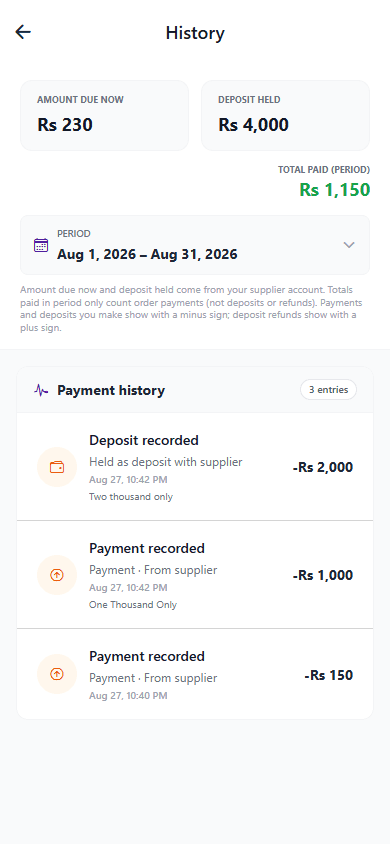
- Viewing and settling their outstanding balance
- Receiving important delivery updates
How the Product Works
The delivery lifecycle
This is not simply one mobile interface with different screens. The product is a connected ecosystem where each user role interacts with the same delivery lifecycle from a different perspective.
- 1
A customer creates a recurring or one-time order.
- 2
The supplier receives and manages the order.
- 3
Recurring orders are generated according to their schedule.
- 4
The supplier assigns deliveries to available delivery persons.
- 5
The delivery person receives the assignment.
- 6
The delivery person manages the delivery and updates its status.
- 7
Cash collected on delivery is added to the delivery person's wallet float.
- 8
The delivery person hands collected cash over to the supplier, updating both wallets.
- 9
The supplier can monitor delivery progress.
- 10
The customer receives relevant order and delivery updates.
Design Challenges
Key UX Challenges
Managing recurring and one-time orders
The system needs to distinguish between an ongoing recurring relationship and individual delivery instances.
Managing daily delivery operations
Suppliers need a clear understanding of what needs to happen today, what has been assigned, and what has been completed.
Delivery-person availability
Assignments depend on delivery-person availability, so the system needs a clear operational state for On Duty and Off Duty.
Supporting three different user roles
Each role has different priorities and responsibilities while still participating in the same delivery lifecycle.
Reducing operational complexity
The product contains many operational entities — orders, customers, schedules, delivery persons, assignments, and statuses. The interface needs to organize information into understandable workflows rather than presenting everything simultaneously.
Reconciling two independent cash ledgers
Cash moves from customer to delivery person to supplier. Each transfer needed a hard limit — a handover can never exceed a driver's current float, and a collection can never exceed what a customer actually owes — enforced at the data layer, not just in the UI.
Preventing orders from being silently forgotten
Recurring and scheduled orders that go undelivered need a defined end state rather than sitting open indefinitely, which is why auto-cancellation past a supplier-configured cutoff was designed as a core safeguard, not an edge case.
Supplier Experience
Running the delivery operation
Suppliers manage the overall delivery operation: orders, delivery staff, and customer relationships, all from a single workflow.
Order Management
Recurring delivery management can create a large number of operational tasks. The interface therefore needs to make upcoming and today's orders easy to understand and manage without overwhelming the supplier.
- Manage recurring delivery orders
- Manage one-time orders
- View today's orders
- View upcoming orders
- Track order progress
- Track delivery status
- Automatically generate recurring orders according to predefined schedules
Delivery Management
Assigning and reassigning deliveries is a daily operational task. The supplier needs a clear view of pending, assigned, and completed deliveries, and a reliable way to manage the delivery staff carrying them out.
- Add delivery persons
- Manage delivery persons
- Assign orders
- Reassign orders
- Unassign orders
- Manage delivery-person availability
- Handle delivery persons going Off Duty
- Monitor pending deliveries
- Monitor assigned deliveries
- Monitor completed deliveries
On Duty / Off Duty
Availability matters because assignments depend on it. If a delivery person becomes unavailable, the system needs to prevent inappropriate new assignments and give the supplier a way to manage the deliveries that were affected by that change.
Customer Management
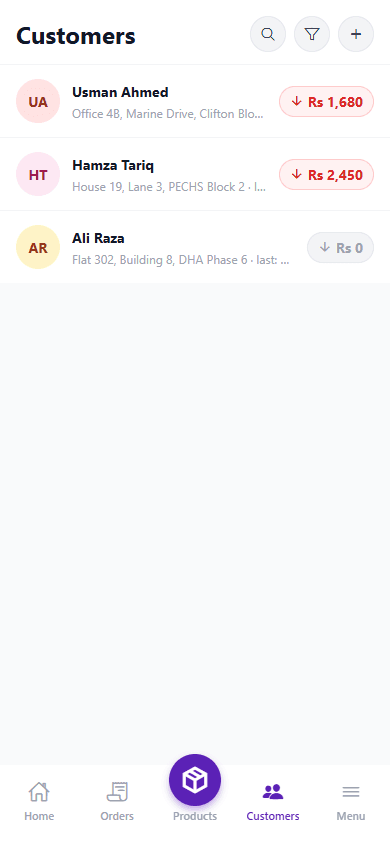
Centralized customer information helps suppliers manage recurring relationships more efficiently, without having to reconstruct delivery history and preferences from scattered records.
- Manage customer profiles
- View delivery schedules
- Manage recurring customer orders
- View customer order history
- Manage customer delivery information
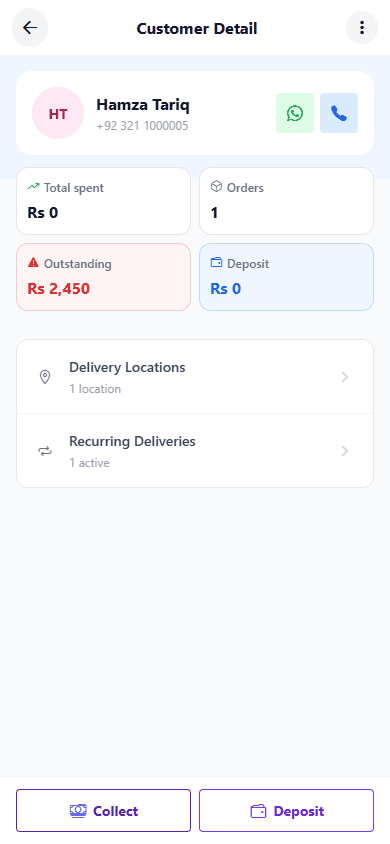
- Track customer security deposits and refunds
- Track and collect customer outstanding balances
Catalog Management
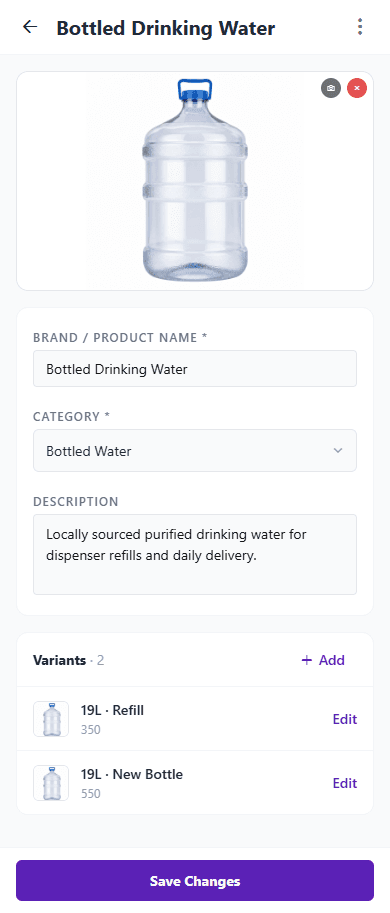
The catalog model is deliberately generic rather than tied to one vertical: a supplier's "product" can be a water bottle, a milk crate, a gas cylinder, or a meal, so the same structure works across delivery businesses without hardcoding assumptions about what is being sold.
- Create and organize product categories
- Add products with images and descriptions
- Define size and price variants per product
- Update pricing without disrupting orders already placed
- Expose the same catalog read-only to customers for browsing
Cash Wallet Management
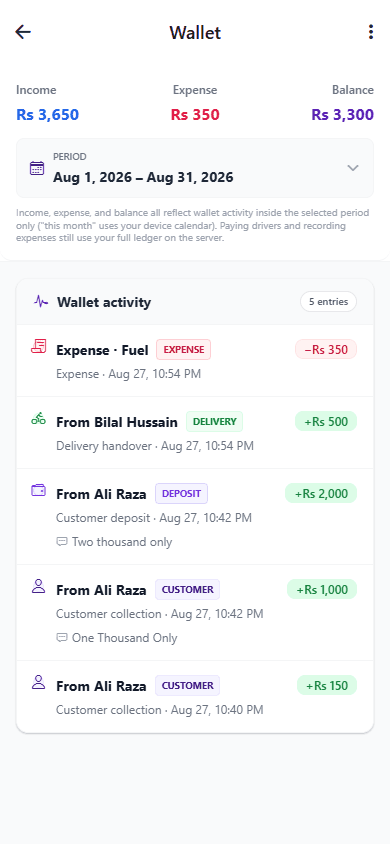
Cash handled outside a digital system is difficult to reconcile. The supplier wallet gives the business a single ledger for everything moving through it, fed by structured events rather than manual entries.
- View a consolidated cash ledger across all incoming and outgoing transactions
- Receive and confirm cash handovers from delivery persons
- Record business expenses (food, fuel, bills, other)
- Pay out delivery-person salaries against a named driver
- Record customer security deposits and deposit refunds
Delivery Person Experience
Built for movement, not screens
Delivery persons are using the application while performing physical delivery work, so the experience prioritizes clarity and speed over depth.
- View assigned deliveries
- View today's deliveries
- View upcoming delivery information
- Receive delivery assignments
- Access customer and delivery information
- Update order/delivery status
- Collect cash on delivery
- Hand over collected cash to the supplier
- Manage availability
Availability Workflow
This is an important operational control, not a simple settings toggle. It determines whether the delivery person can be assigned new work at all.
Customer Experience
Simple by design
The customer experience is intentionally simpler than the supplier experience. Customers primarily need to answer a small set of questions about their orders.
- Browse the supplier's product catalog
- Place recurring orders
- Place one-time orders
- Select delivery schedules
- View upcoming deliveries
- Manage recurring delivery preferences
- Update subscription details
- Track order status
- View delivery information
- Access order history
- View and settle outstanding balance
- Receive delivery notifications
- Communicate with the supplier when necessary
“What am I ordering?”
“When will it be delivered?”
“What is the current status?”
“Can I change my upcoming delivery?”
Core Product Concept
Recurring Delivery Workflow
Recurring delivery management is the central concept of this product. The system supports both an ongoing recurring relationship and individual, one-off delivery instances, and the interface needs to keep the two clearly distinct.
Recurring Order
A customer establishes a delivery schedule that repeats over time. The system then generates orders according to that schedule.
One-Time Order
A customer creates an individual delivery without establishing a recurring schedule.
The interface needs to make these two concepts clear to users so that recurring orders do not become confused with individual delivery instances.
Design Approach
Design principles behind the product
- Clear information hierarchy
- Simple navigation
- Role-specific workflows
- Easy access to important operational information
- Clear order and delivery statuses
- Reduced cognitive load
- Efficient daily task management
- Consistent interaction patterns
- Clear distinction between recurring and one-time orders
- Transparent, auditable financial tracking
Technology
Built on a production-grade stack
Frontend
- Expo (React Native + Web)
- Expo Router
- NativeBase
- TanStack Query & TanStack Form
- Socket.IO client
Backend
- NestJS
- MongoDB (Mongoose, replica-set transactions)
- Redis & BullMQ
- Socket.IO
- JWT auth (Passport)
Infrastructure
- AWS S3 (media storage)
- Swagger / OpenAPI
Final Application
Application Screens
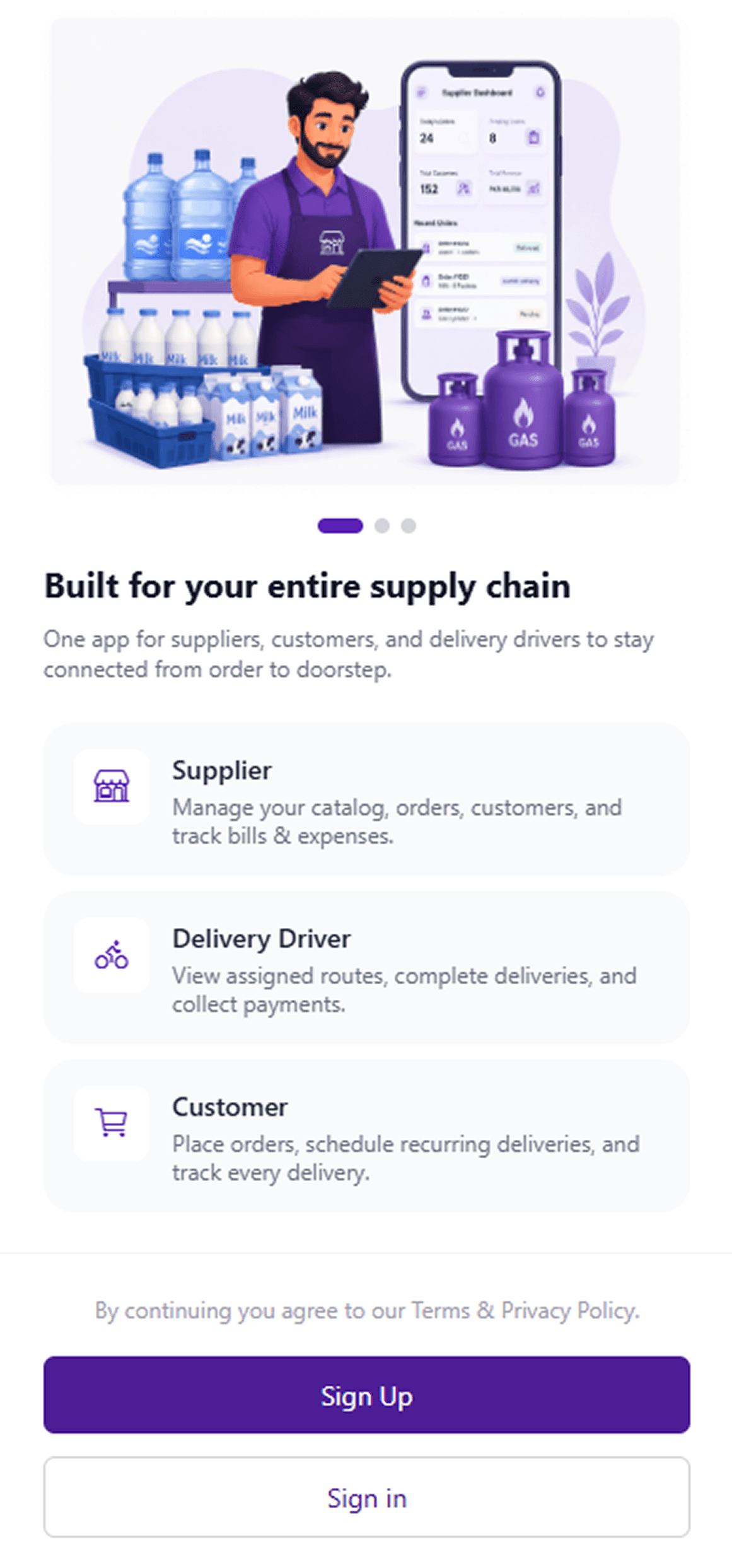
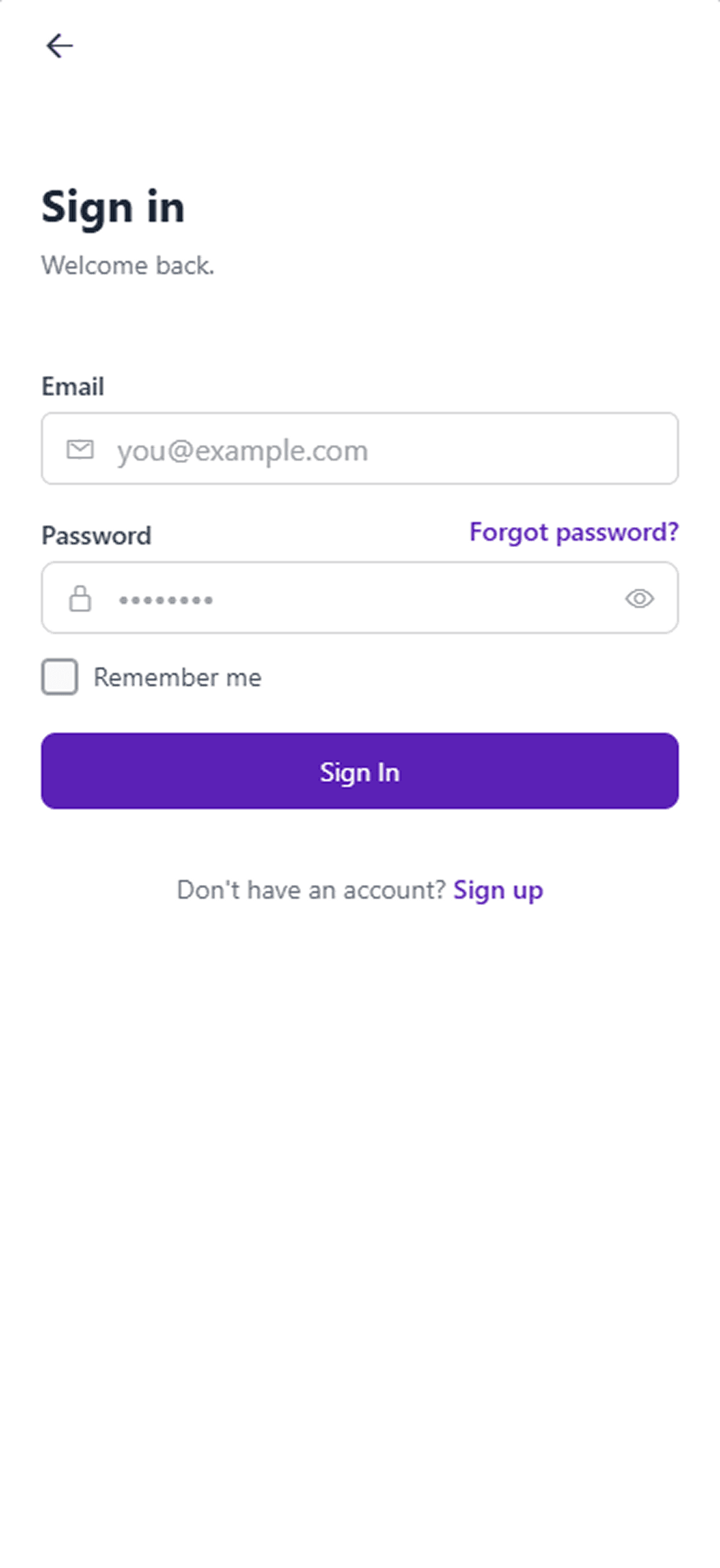
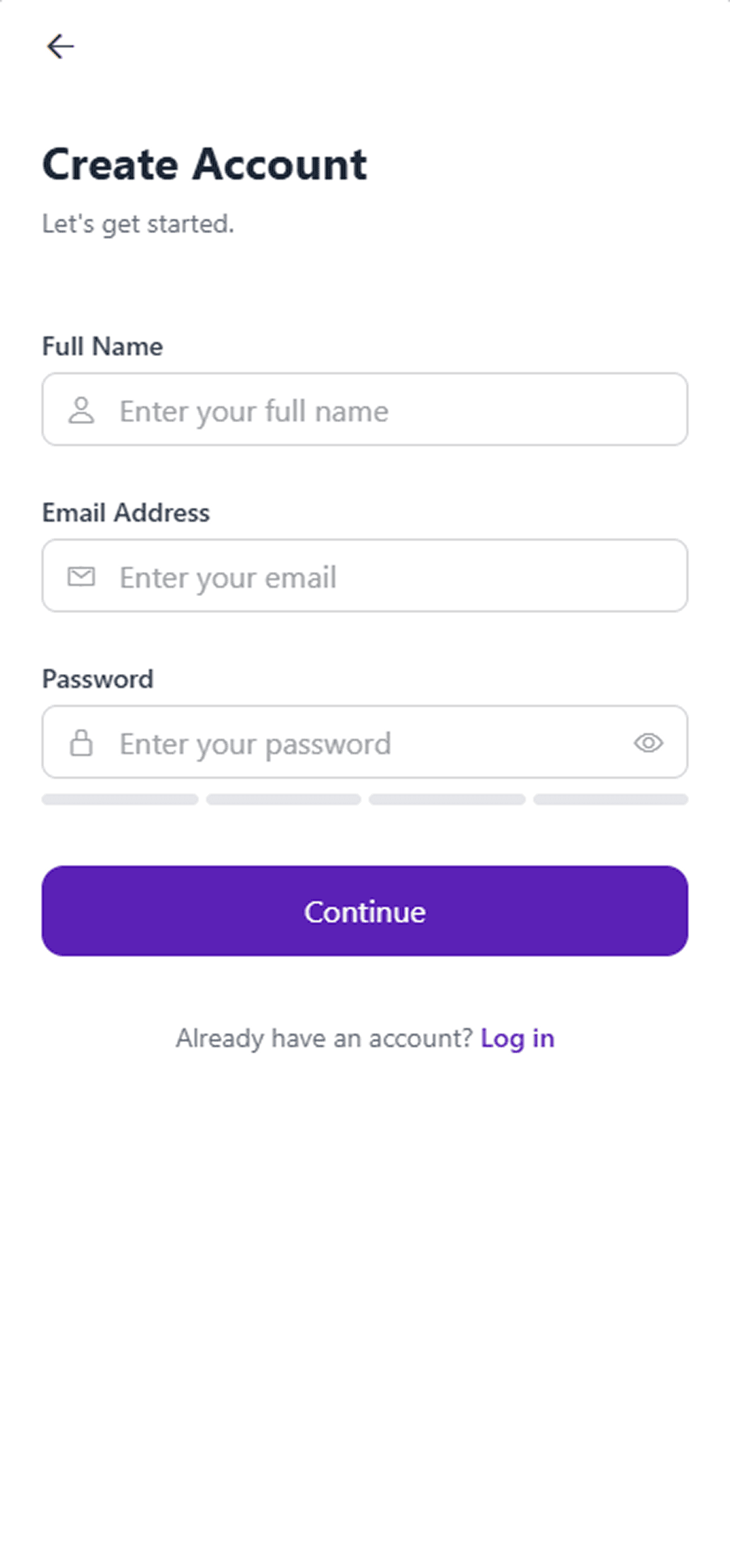
Onboarding & Authentication Flow
The shared entry point every role passes through before landing on their dashboard.
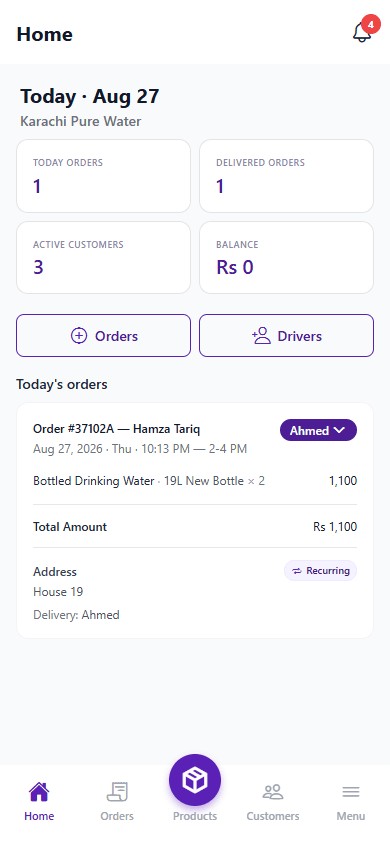
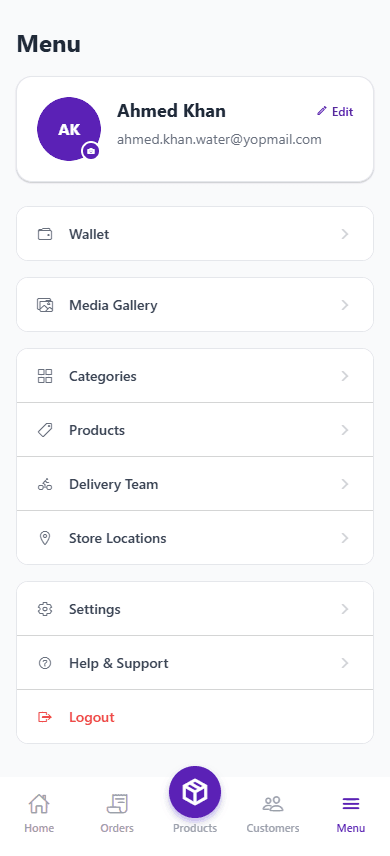
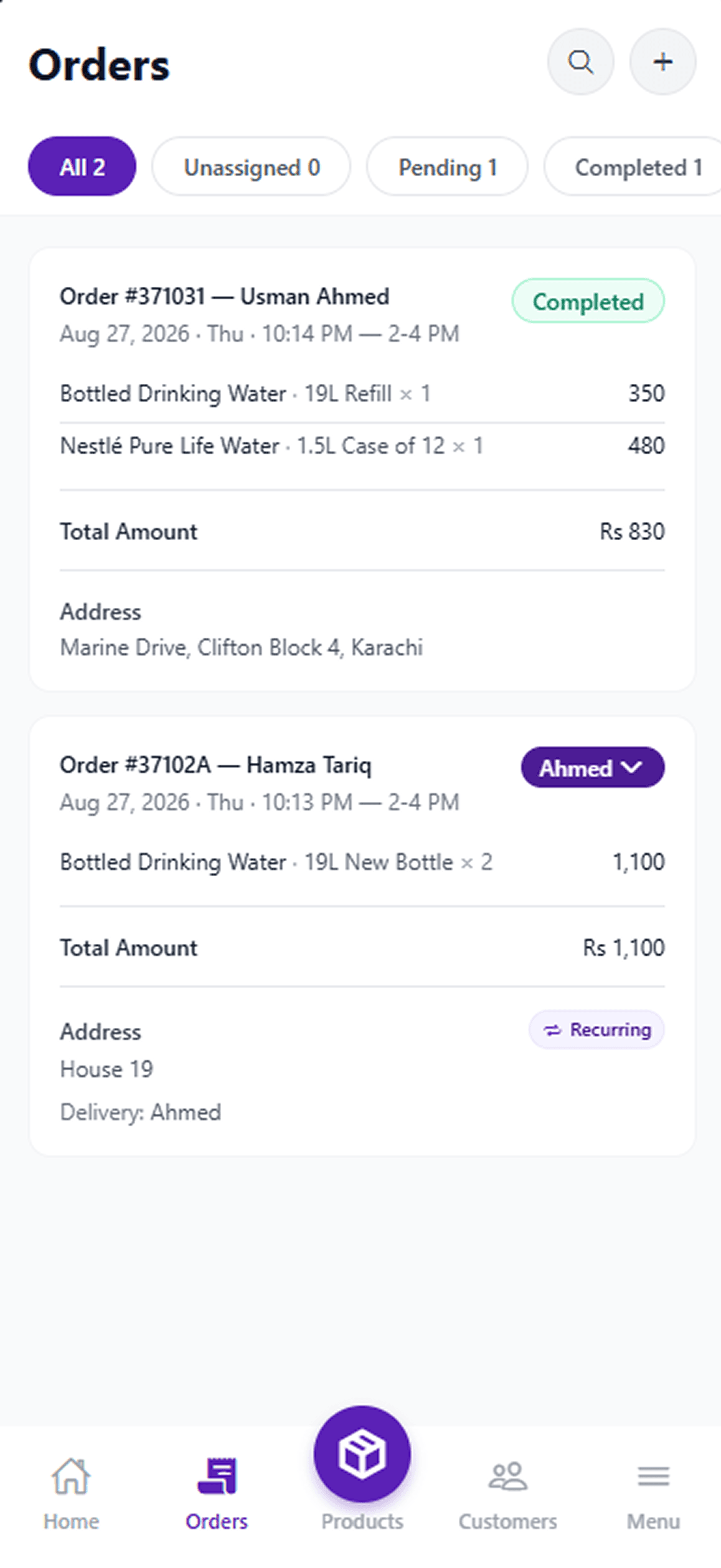
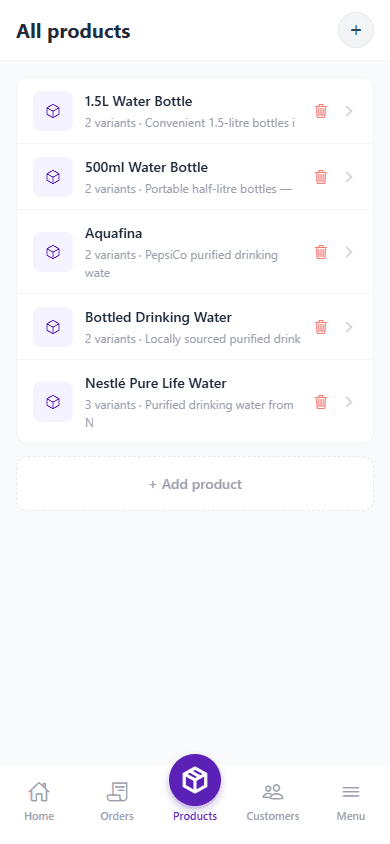
Supplier Flow
Running the delivery operation — orders, customers, catalog and wallet in one place.
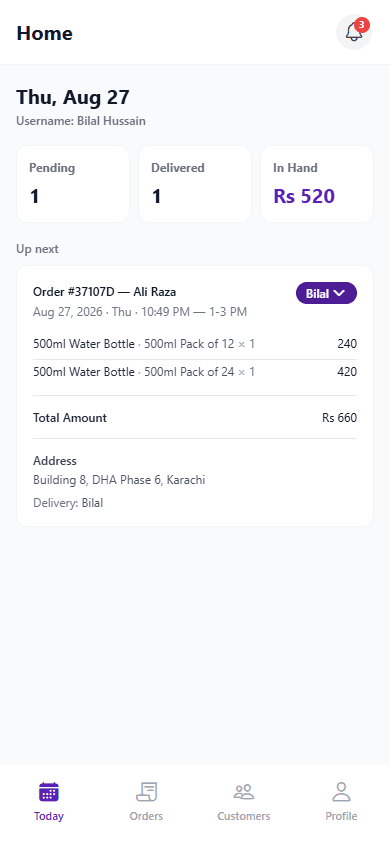
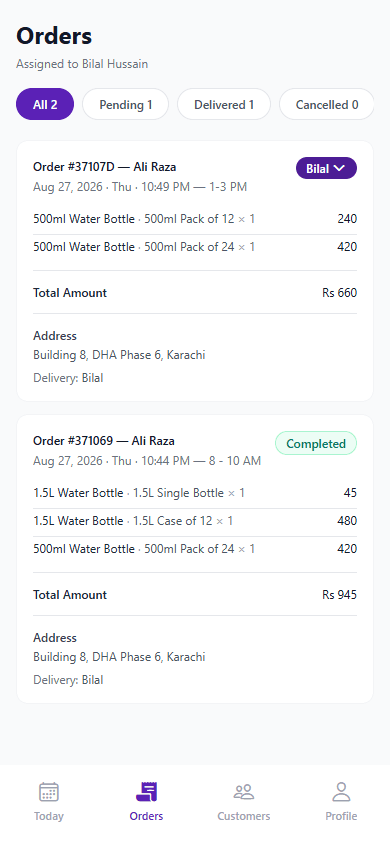
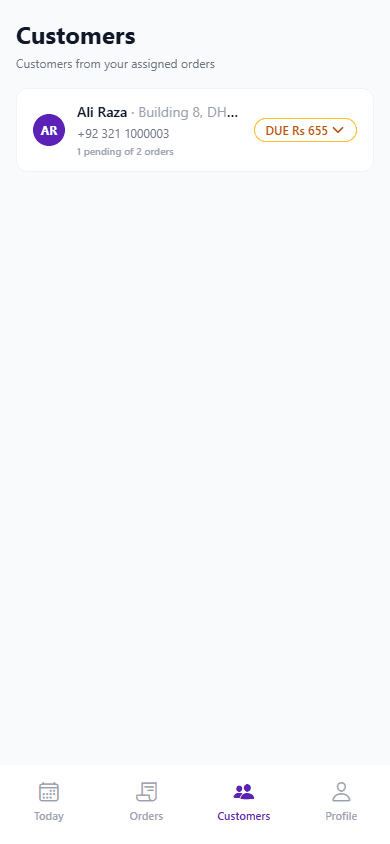
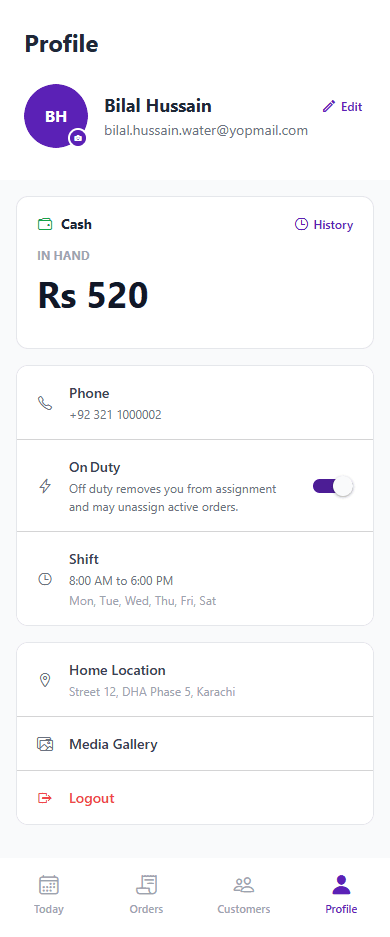
Delivery Person Flow
Built for movement — a focused view of assigned customers and daily deliveries.
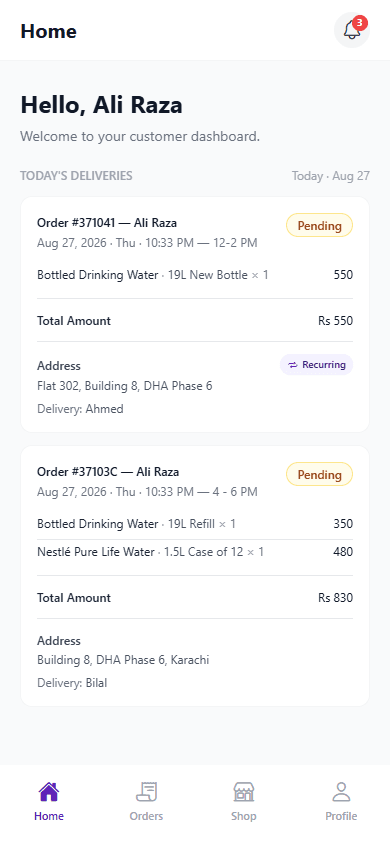
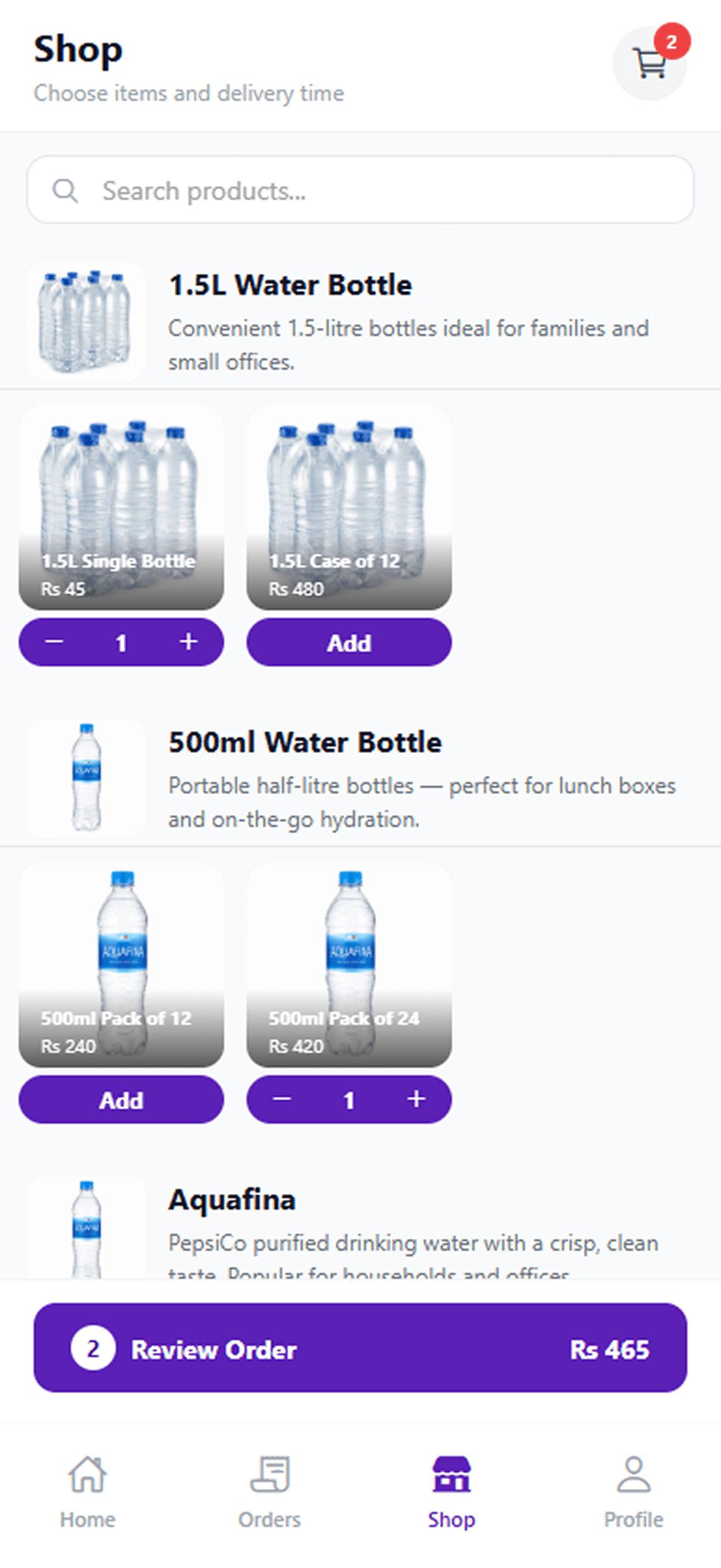
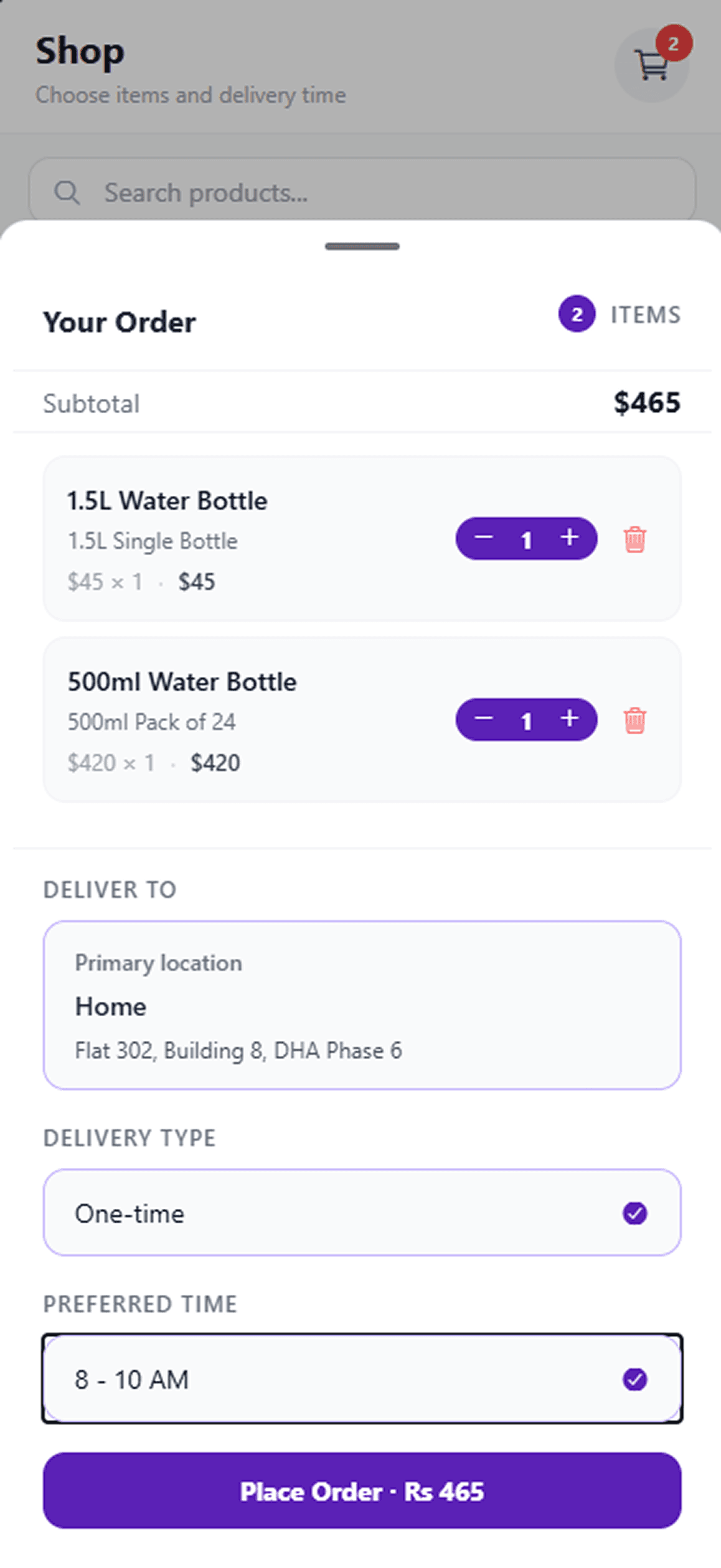
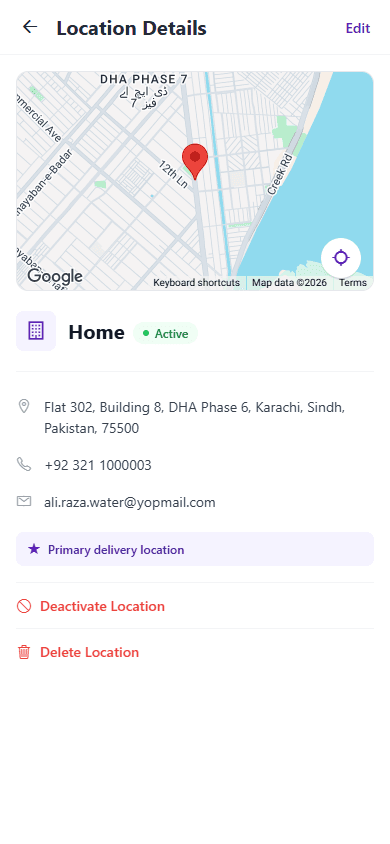
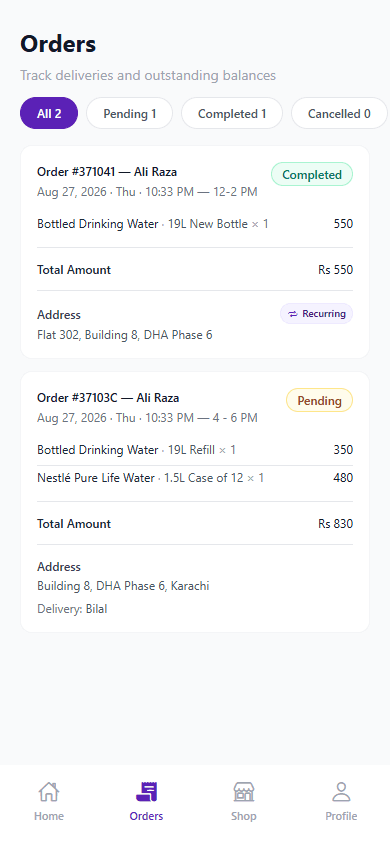
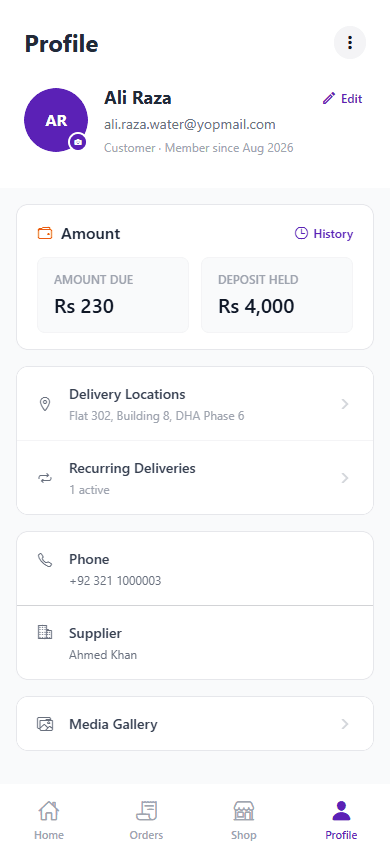
Customer Flow
Simple by design — browsing, ordering and tracking without friction.
Important Product Flows
How key workflows move
Customer Ordering
The journey begins with the customer placing an order.
- 1
Customer
Select or add customer details
- 2
Select Order Type
Choose between one-time or recurring
- 3
Configure Order
Add products, quantity and preferences
- 4
Select Schedule
Choose date and delivery time
- 5
Confirm Order
Review and confirm the order
Customer
Select or add customer details
Select Order Type
Choose between one-time or recurring
Configure Order
Add products, quantity and preferences
Select Schedule
Choose date and delivery time
Confirm Order
Review and confirm the order
Recurring Delivery
From recurring setup to delivery and status tracking.
- 1
Recurring Order
Create recurring order profile
- 2
Scheduled Delivery
Set frequency and next delivery date
- 3
Generated Order
System generates order automatically
- 4
Supplier Management
Supplier reviews and manages orders
- 5
Delivery Assignment
Assign to available delivery person
- 6
Delivery
Delivery person completes delivery
- 7
Status Update
Update order status in real-time
Recurring Order
Create recurring order profile
Scheduled Delivery
Set frequency and next delivery date
Generated Order
System generates order automatically
Supplier Management
Supplier reviews and manages orders
Delivery Assignment
Assign to available delivery person
Delivery
Delivery person completes delivery
Status Update
Update order status in real-time
Supplier Assignment
Supplier assigns the right orders to the right people.
- 1
Pending Order
New order pending assignment
- 2
Available Delivery Person
View available delivery persons
- 3
Assign
Assign order to selected person
- 4
Delivery Person Receives Assignment
Notification sent to delivery person
- 5
Delivery
Delivery person starts delivery
Pending Order
New order pending assignment
Available Delivery Person
View available delivery persons
Assign
Assign order to selected person
Delivery Person Receives Assignment
Notification sent to delivery person
Delivery
Delivery person starts delivery
Delivery Person Availability
Manage availability to control new assignments.
- 1
On Duty — Available for Assignments
Delivery person is active and can receive new orders
- 2
Off Duty — Stop Receiving New Assignments
Delivery person is inactive and won't receive new orders
On Duty — Available for Assignments
Delivery person is active and can receive new orders
Off Duty — Stop Receiving New Assignments
Delivery person is inactive and won't receive new orders
Cash Collection & Handover
How cash moves from customer to delivery person to supplier.
- 1
Cash Collected
Delivery person collects cash on delivery
- 2
Driver Wallet Updated
Collected amount is added to the driver's cash float
- 3
Handover Initiated
Driver hands cash over to the supplier
- 4
Supplier Wallet Updated
Supplier ledger increases; driver float decreases
Cash Collected
Delivery person collects cash on delivery
Driver Wallet Updated
Collected amount is added to the driver's cash float
Handover Initiated
Driver hands cash over to the supplier
Supplier Wallet Updated
Supplier ledger increases; driver float decreases
Key Product Takeaways
Why Supplier Delivery App matters
Recurring delivery management was treated as the core product challenge, not a secondary feature.
Three distinct user roles were designed to share one delivery lifecycle without duplicating complexity across each experience.
Delivery-person availability was designed as an explicit operational state, since assignments depend directly on it.
The customer experience was deliberately kept simpler than the supplier experience, focused on a small set of recurring questions.
The cash wallet system was designed as a first-class, transactionally-safe flow, not a bolted-on ledger — every handover and collection is bounded by the actual balances involved.
Ready to Transform Your Digital Presence?
Let's discuss your project and create something amazing together
Schedule a Free Consultation